1. The Evolution of X (Formerly Twitter) & The Login Wall
Following the rebranding into X, several restrictions were placed on public data availability. In mid-2023, Elon Musk implemented a strict 'Login Wall' constraint, redirecting unregistered visitors to signup screens. Unauthenticated API rate limits further restricted public researchers and journalists. Our anonymous X viewer proxy helps you browse timelines and public profiles cleanly without an account.
2. How Does This Anonymous X/Twitter Mirror Tool Work?
This free web proxy operates as a lightweight mirror frontend. When you query a username or tweet URL, our servers query active public timeline mirrors, strip tracking scripts, and display the timeline feed in an ad-free layout directly inside your browser window without logging into X.com.
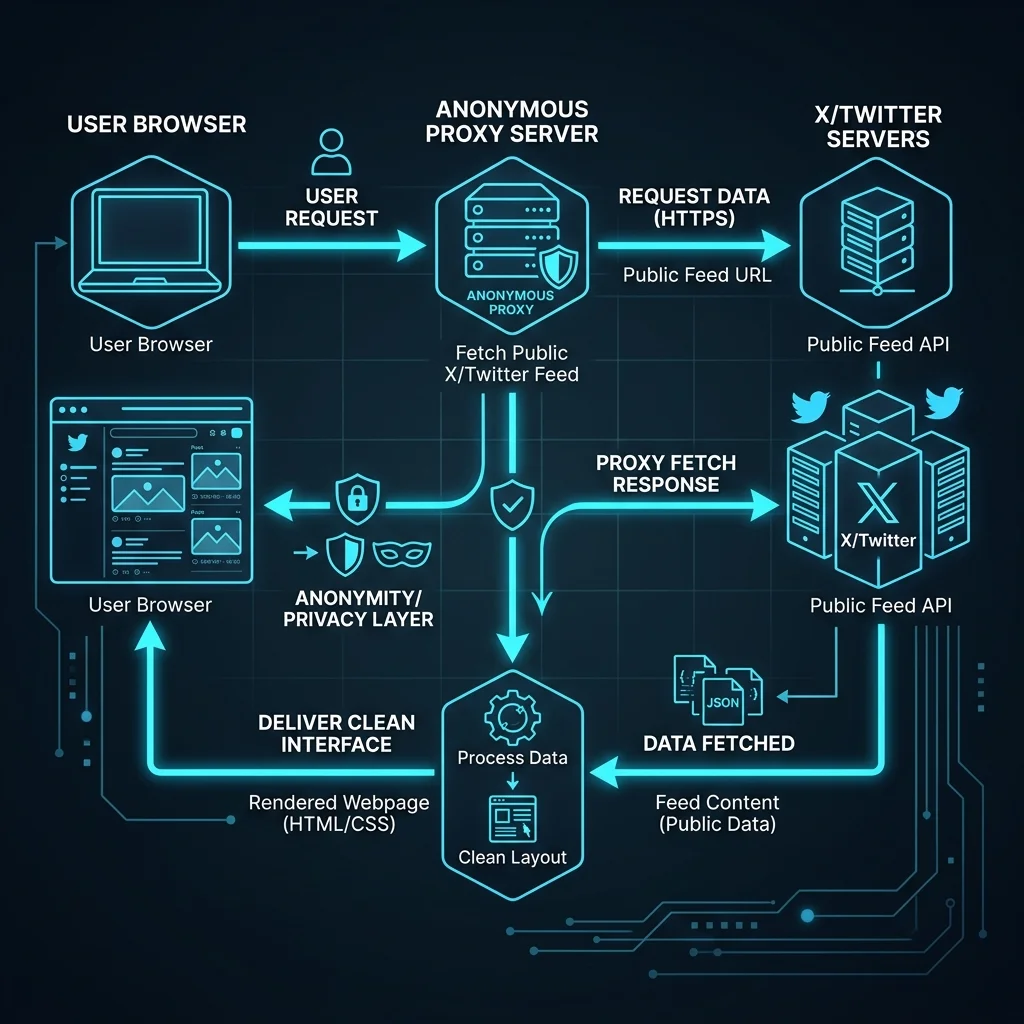
3. Pros and Cons of Anonymous Twitter Viewers
🟢 Advantages (Pros)
- 100% Private: Browse timelines without exposing your cookies or IP directly to X.
- Login Wall Bypass: Read profiles and search tweets without registering an account.
- Lightweight Layout: Ad-free, fast reader interfaces optimize page load speeds.
🔴 Limitations (Cons)
- Locked Profiles: Cannot bypass security settings of private accounts.
- Mirrors Reliability: Scraping mirrors face occasional rate limits and down times.
4. Key Features of Twitter Viewer
🚫 1. Bypassing Public Login Barriers
Read public timelines freely without signing up or logging into X.
⚡ 2. Community Mirror Frontends
Access proxy networks like Nitter to read Twitter feeds anonymously.
🎼 3. High Speed Ad-Free Timeline Feed
Load profile tweets in clean layout without tracking script overhead.
5. User Guide: How to View X/Twitter Without Login
💻 How to Use on PC (Windows, macOS, Linux):
- Type the target Twitter @username inside our search input above.
- Click Search Profile to query cached timelines or generate active mirror links.
- Use the mirror buttons to view the user's timeline and read tweets anonymously.
📱 How to Use on Mobile (iOS, Android):
- Launch mobile browser, open our site, and enter the username.
- Tap the analysis button to list Nitter public proxy mirrors.
- Open the target proxy reader link to scroll user tweets without account blocks.