1. The X/Twitter Video Distribution
X (formerly Twitter) has become a major platform for video sharing. However, the site uses adaptive bitrate streaming, breaking videos into HLS segments (.m3u8). This limits traditional download methods. Our online X video downloader simplifies this process, compiling segments into a clean, raw HD MP4 file.
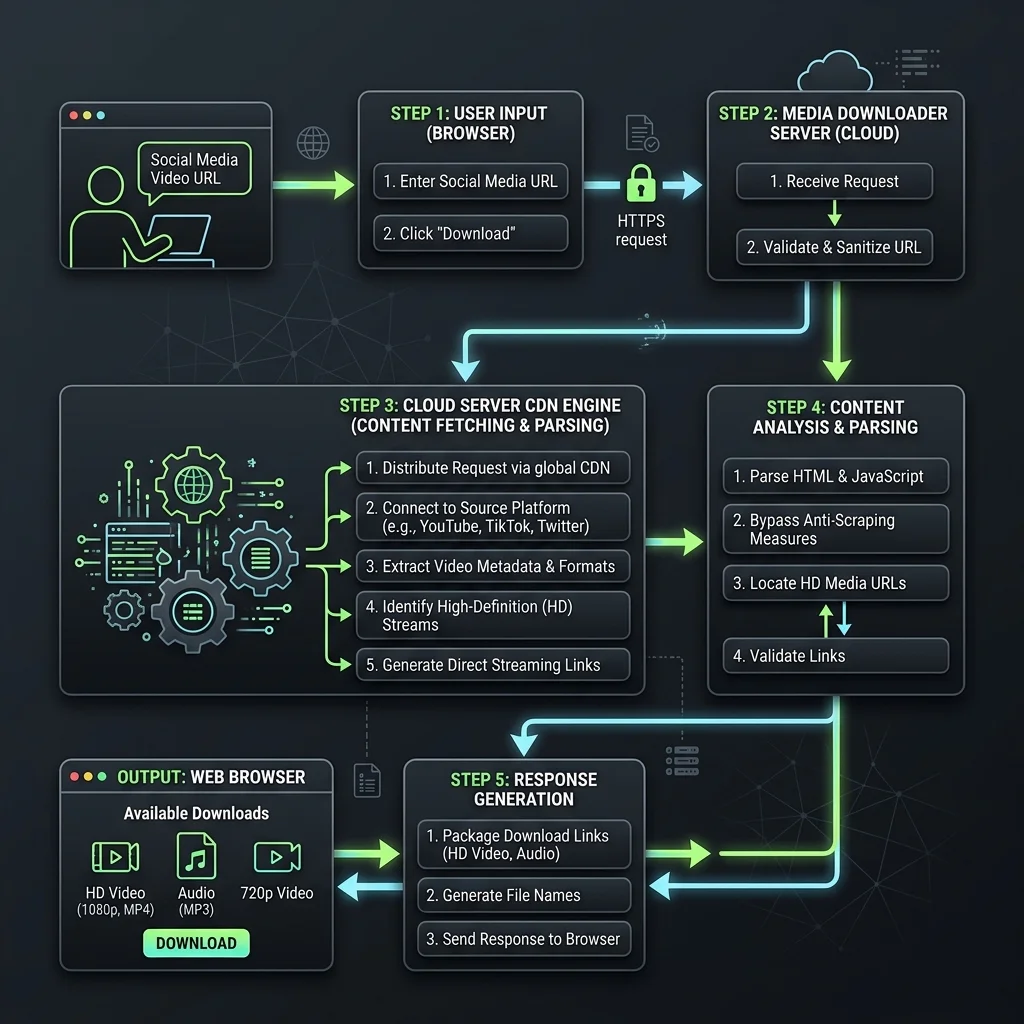
2. How We Extract Twitter HLS Video Streams
When you submit a tweet link, our backend parses the master playlist index (.m3u8), queries all available resolution variants, and compiles the segment files into a single, high-definition MP4 wrapper. This consolidates the direct download without loss of audio or video quality.
3. Pros and Cons of Twitter (X) Video Downloader
🟢 Advantages (Pros)
- Multiple Resolutions: Choose 1080p, 720p, or 360p depending on source quality.
- GIF Support: Convert and save Twitter GIFs as standard loop MP4 videos.
- No Login Required: Process links securely without entering your credentials.
🔴 Limitations (Cons)
- Public Tweets Only: Cannot parse media files from private or locked profiles.
- Rate Limits: High traffic on X scraper servers can cause occasional slow responses.
4. Key Features of Twitter Video Downloader
🚫 1. Full HD Resolution Options
Select high-quality Full HD output directly from Twitter CDN.
⚡ 2. Automatic GIF Conversion
Convert raw Twitter GIFs into looping MP4 files dynamically.
🎼 3. Fast Video Stream Aggregator
Compile fragmented HLS segment files into a contiguous MP4 container.
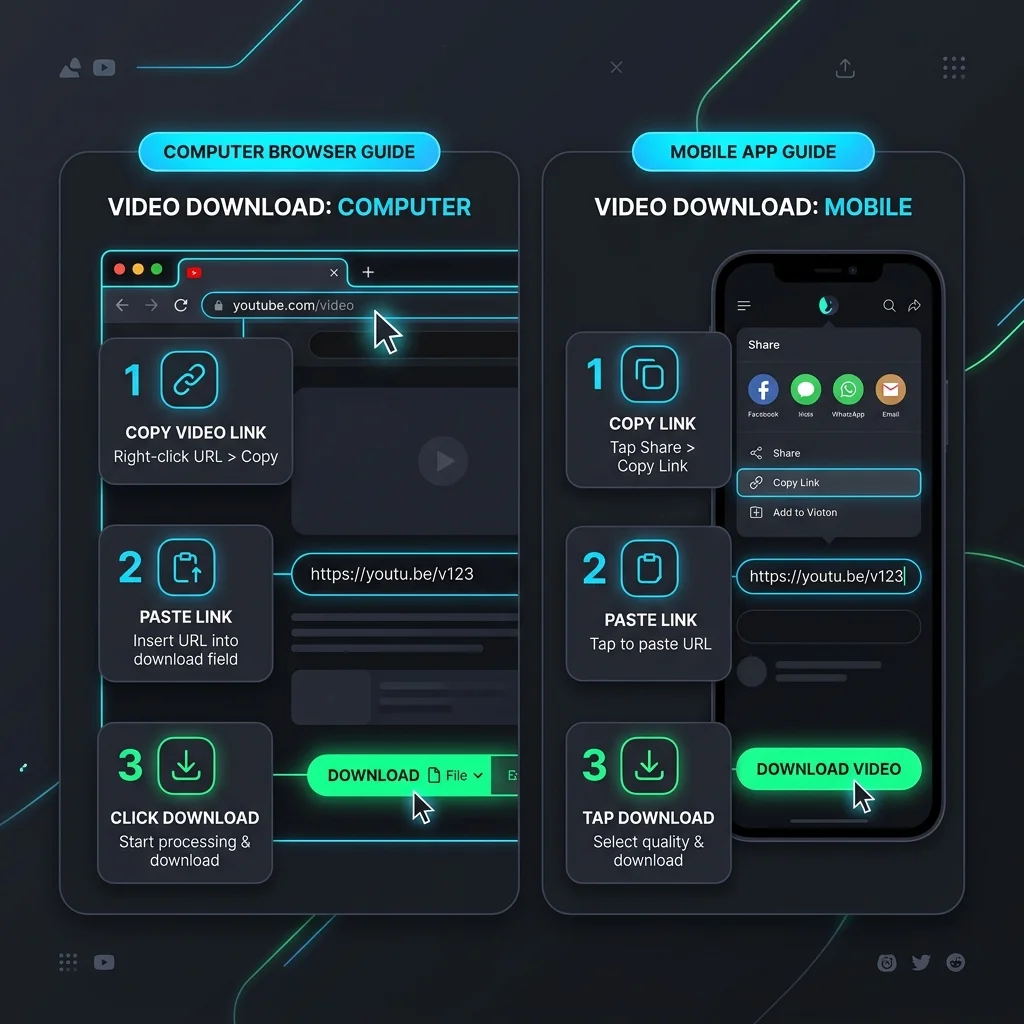
5. Step-by-Step Guide to Download Twitter Videos
💻 How to Use on PC (Windows, macOS, Linux):
- Open X.com on browser, copy the tweet URL from the address bar.
- Paste the URL inside our search input box above.
- Click Download, select resolution quality, and save the MP4 video.
📱 How to Use on Mobile (iPhone, Android):
- Open X mobile app, tap Share on a post -> Copy Link.
- Open phone browser, visit our web tool and paste the URL.
- Tap Download, choose quality formats, and save the video file.