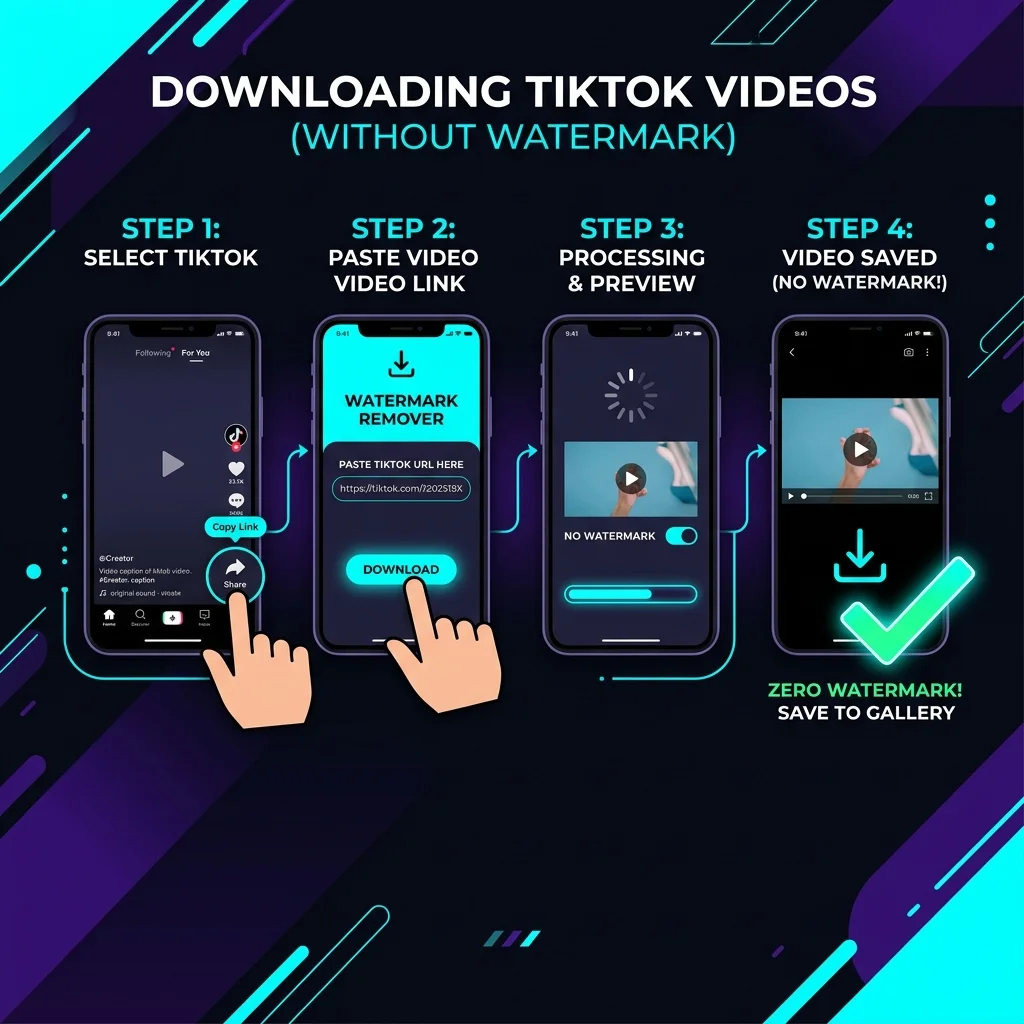
1. Save TikTok Videos Without Watermark
TikTok is the global hub for short-form creativity. However, saving video posts natively leaves a floating logo and username stamp. Our free online TikTok downloader resolves this by letting you save original, high-definition videos without watermarks directly to your camera roll. Save your favorite clips cleanly in one simple operation.
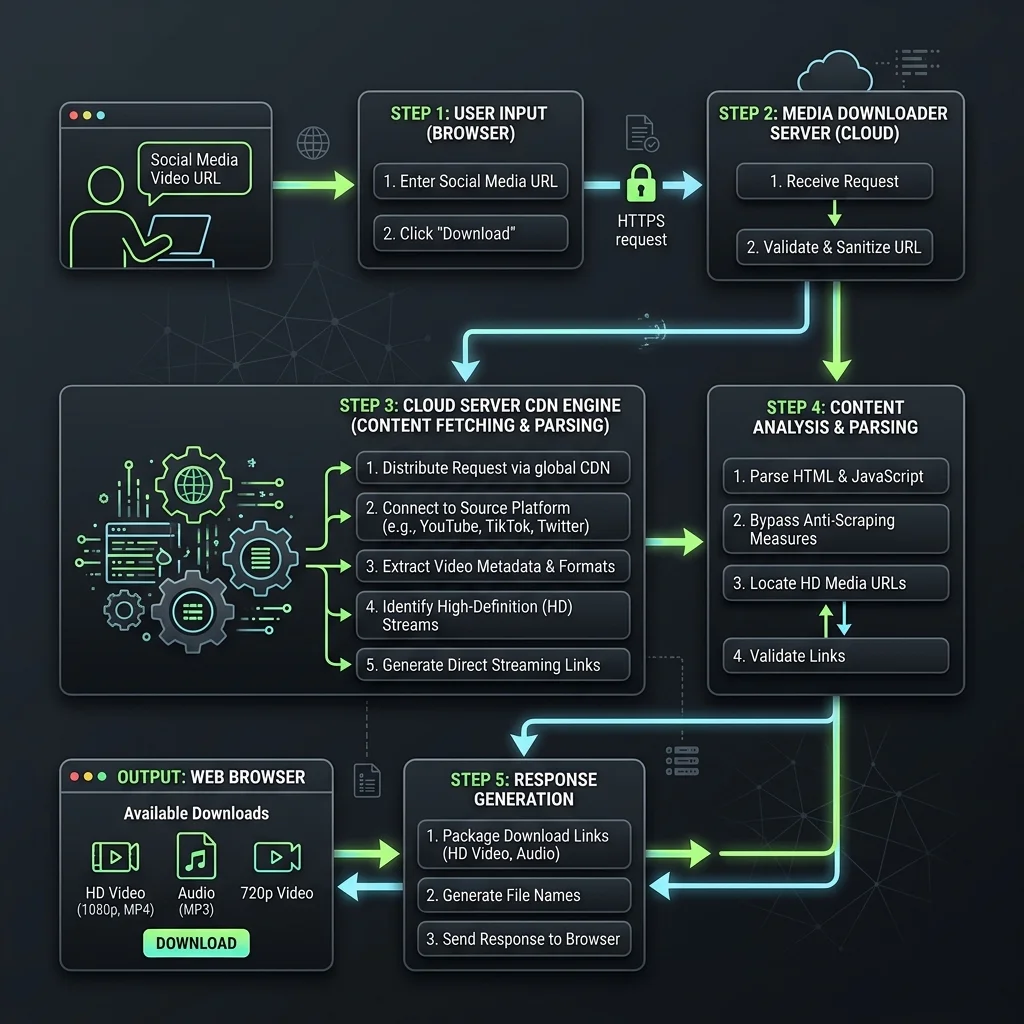
2. Bypass TikTok Watermark Layer Programmatically
When you paste a video URL, our server reads the page source, bypasses TikTok's mobile watermark rendering layer, and fetches the clean MP4 feed directly from TikTok's CDN. This retrieves the original video file exactly as uploaded by the creator, without any graphic overlays or quality degradation.
3. Pros and Cons of Free TikTok Downloader
🟢 Advantages (Pros)
- Watermark Removal: Instantly strip floating logos and overlays.
- Full HD Quality: Retain original source video resolution.
- Audio Extraction: Save the backing sound or music directly to MP3.
- No Account Needed: Use the tool anonymously without any registration.
🔴 Limitations (Cons)
- Public Feeds Only: Cannot access locked or private accounts.
- Browser Storage Limits: iPhone downloads require Safari to trigger save files.
4. Key Features of TikTok Downloader
🚫 1. Original Quality No Watermark
Keep the video crisp and clean, perfect for offline archives or presentations.
⚡ 2. Quick CDN Mirror Extraction
Fetch download links in seconds through our high-speed proxy cluster.
🎼 3. Fast MP3 Audio Extractor
Strip audio from any TikTok clip to save high-quality backing tracks.
5. Step-by-Step Guide to Download TikTok Videos
💻 How to Use on PC (Windows, macOS, Linux):
- Open TikTok.com on browser, copy the video link from address bar.
- Paste the URL link inside our input field above.
- Click Download and choose the no-watermark quality format.
📱 How to Use on Mobile (iPhone, Android):
- Launch TikTok app, tap Share -> Copy Link on the video.
- Open web browser on your phone, go to our site, and paste link.
- Press Download and select quality option to save the MP4.