1. Download Instagram Reels and Videos
Instagram hosts a massive library of creative Reels and photography posts. However, there is no direct save button for these media files. Our free online Instagram downloader lets you extract raw MP4 video streams and high-resolution JPG images directly from your browser, keeping the content clean and original.
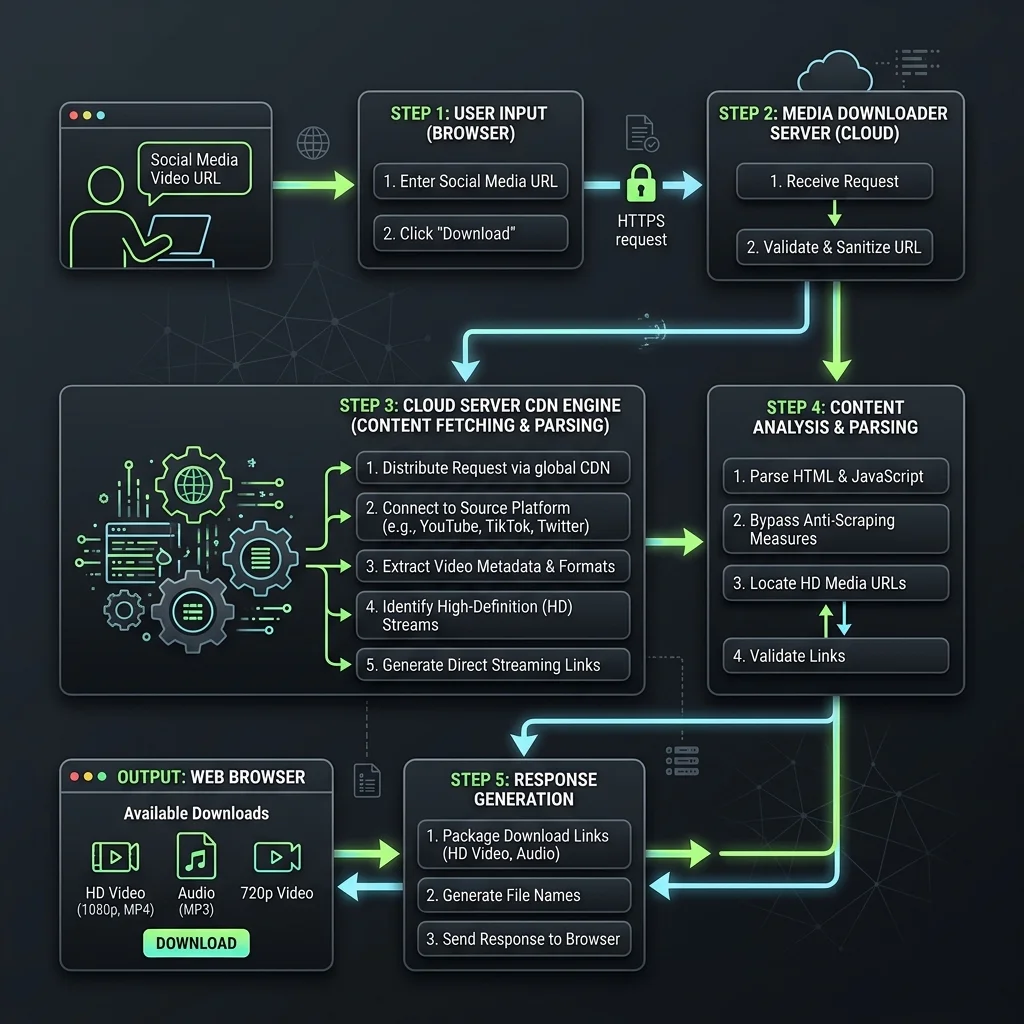
2. Fetch Raw Media directly from Instagram CDN
When an Instagram link is entered, our server queries the public metadata, locates the secure CDN nodes, and sniffs the direct MP4/JPG stream addresses. This consolidation bypasses Instagram's client-side limitations and provides you with direct download links instantly.
3. Pros and Cons of Instagram Downloader
🟢 Advantages (Pros)
- Carousel Support: Extract and download all slide elements separately.
- High Resolution: Save photos in original size and videos in HD.
- Privacy-Friendly: Use the tool securely without logging into your account.
🔴 Limitations (Cons)
- Public Accounts Only: Cannot fetch media from private or locked profiles.
4. Key Features of Instagram Downloader
🚫 1. Direct HD MP4 Video Stream
Get high-quality video files directly from CDN without extra compression.
🖼️ 2. High Resolution Photo Extraction
Download the original raw JPG file sizes from any feed or carousel.
⚡ 3. Multi-Image Slide Parsing
Query and list separate download cards for all items in a carousel post.
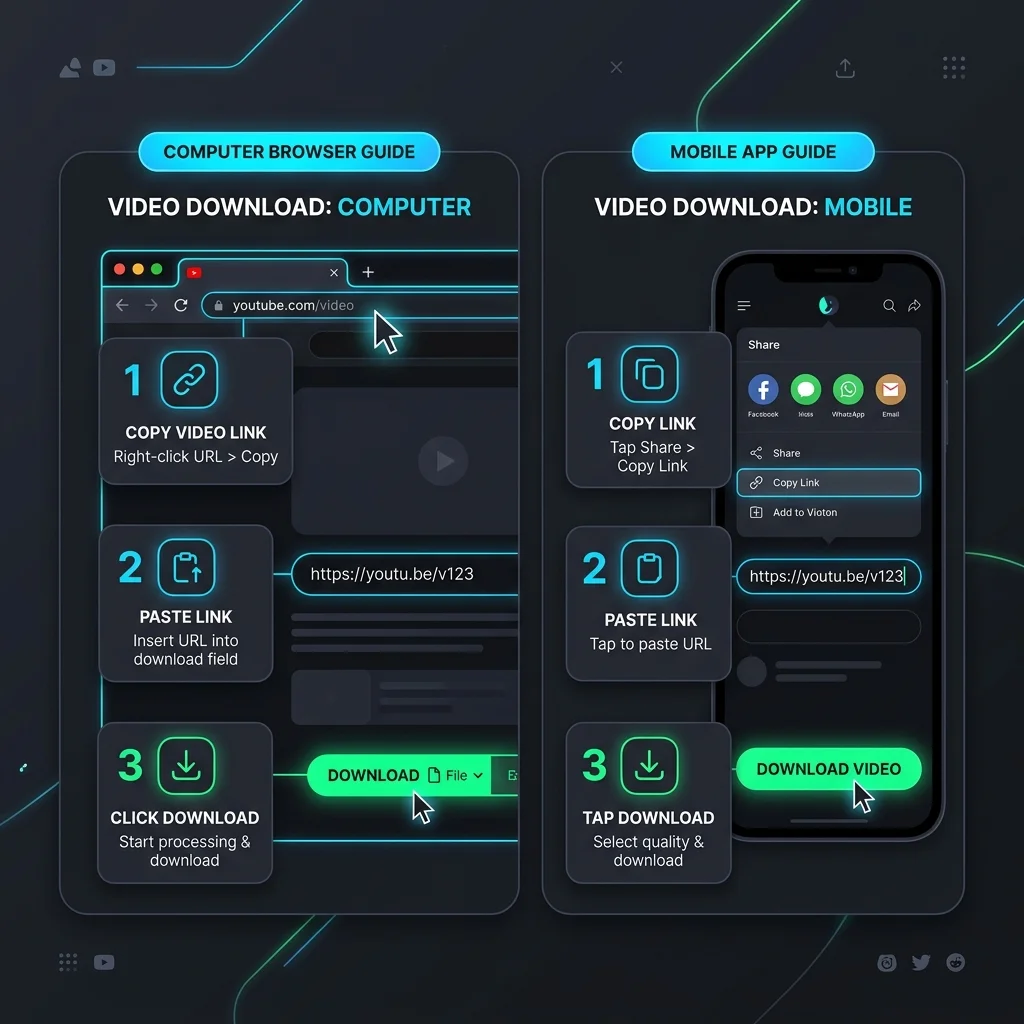
5. Step-by-Step Guide to Save Instagram Media
💻 How to Use on PC (Windows, macOS, Linux):
- Open Instagram.com, copy the link of the post or Reel from the address bar.
- Paste the URL inside our search input box above.
- Click Download and choose the separate links to save images or videos.
📱 How to Use on Mobile (iPhone, Android):
- Open Instagram app, tap three dots on a post -> Copy Link.
- Open phone browser, go to our web tool and paste the link.
- Tap Download, wait for parsing, and save directly to camera roll.