1. Download Threads Videos and Photos
Threads is Meta's text and media sharing platform. Although users share a growing list of HD clips and photography posts, there is no built-in method to download these media streams. Our free online Threads downloader decodes these media links, providing direct high-quality saves from your browser.
2. Extract Meta CDN Video Elements
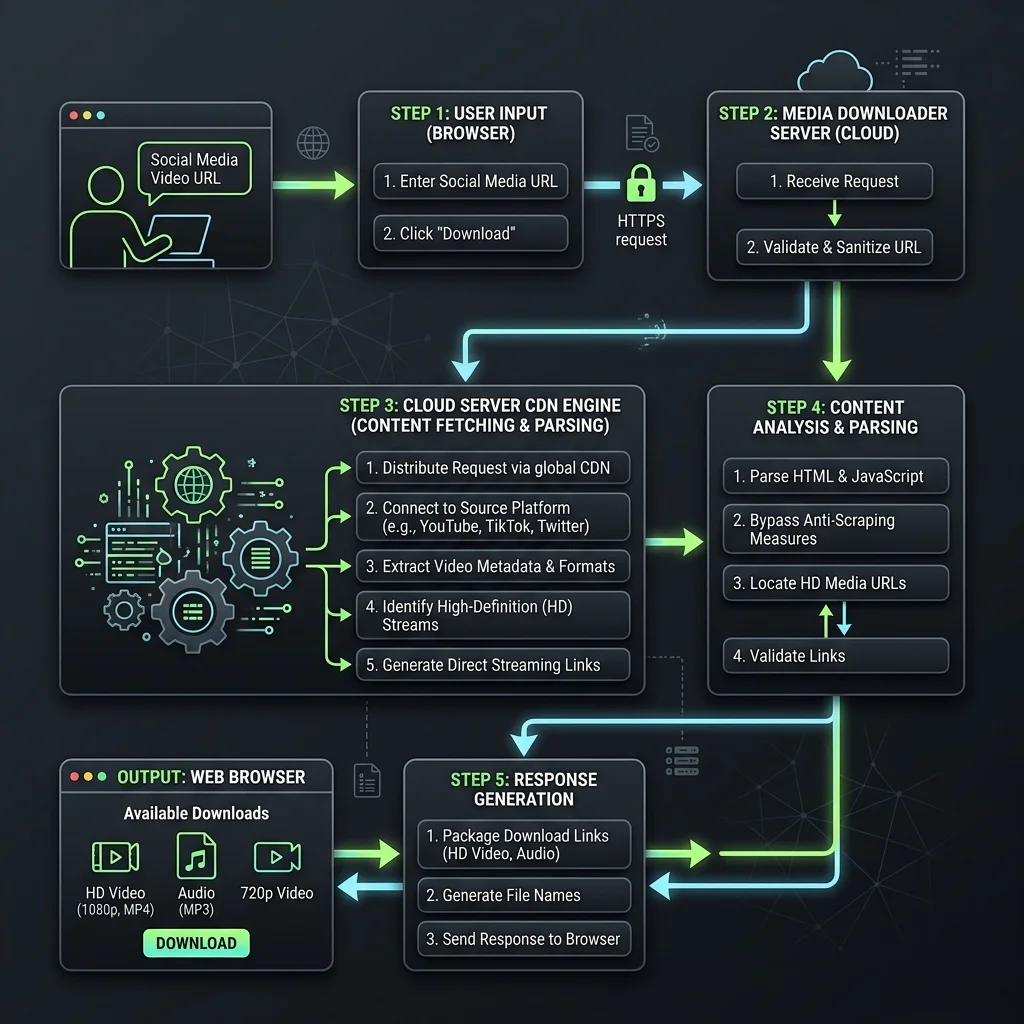
When a Threads URL is submitted, our parsing engine sniffs the page metadata, query the secure endpoints, and retrieves the raw MP4 video streams or high-res JPG files. Thisconsolidated direct stream points to Meta's CDN servers, giving you clean files without compression.
3. Pros and Cons of Threads Downloader
🟢 Advantages (Pros)
- HD Quality: Save videos in high definition and photos in crisp JPG format.
- No Login Required: Process links safely without entering credentials.
- Unlimited: Use the web application freely without daily download limits.
🔴 Limitations (Cons)
- Public Posts Only: Cannot access private account threads or restricted content.
4. Key Features of Threads Downloader
🚫 1. Direct CDN MP4 Downloader
Download videos directly from Meta's servers for maximum speed.
🖼️ 2. High Resolution Photo Extractor
Save full-size JPG image assets without browser-side compression.
⚡ 3. Clean and Safe Parsing Code
No cookies or session variables are collected during the link decoding process.
5. Step-by-Step Guide to Save Threads Media
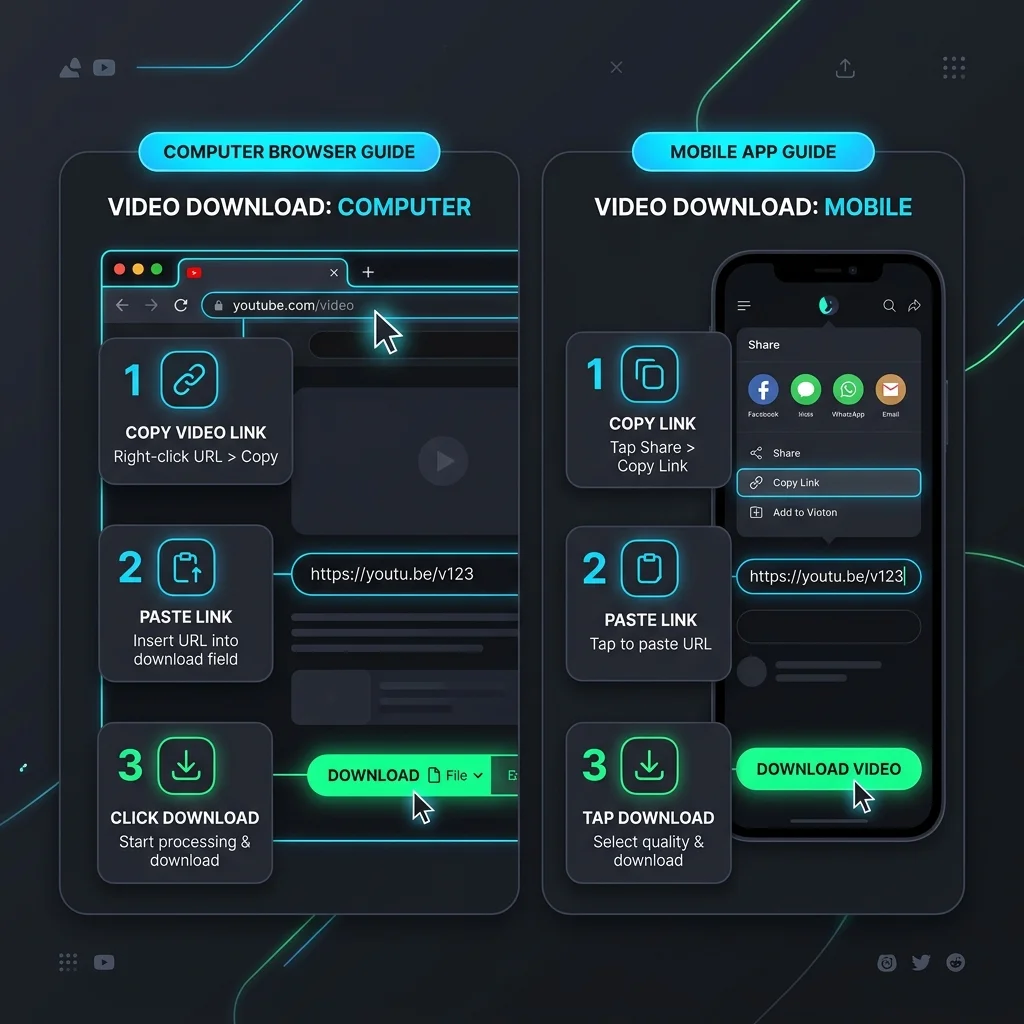
💻 How to Use on PC (Windows, macOS, Linux):
- Open Threads.net, copy the post URL from browser address bar.
- Paste the link inside our input field above.
- Click Download to analyze the assets and save them directly.
📱 How to Use on Mobile (iPhone, Android):
- Open Threads app, tap Share on a post -> Copy Link.
- Open phone browser, visit our web tool and paste the URL.
- Tap Download, choose quality, and save the file to your mobile storage.